

The cloud library keeps your scans and finished files, encrypted, and syncs them between your phone and computer. It is off until you turn it on, and nothing is uploaded before then.
Before you start
- You need to be signed in. The library comes with every plan: 1 GB on Free, 100 GB on Pro, and 250 GB per user on Business, shared by the workspace.
- In a Business workspace, only the owner or an admin can turn the library on.
- The library is being switched on in stages. If you see The cloud library isn't available yet., it is not on for your account yet.
How to turn on the library
- In the sidebar, choose Cloud library.
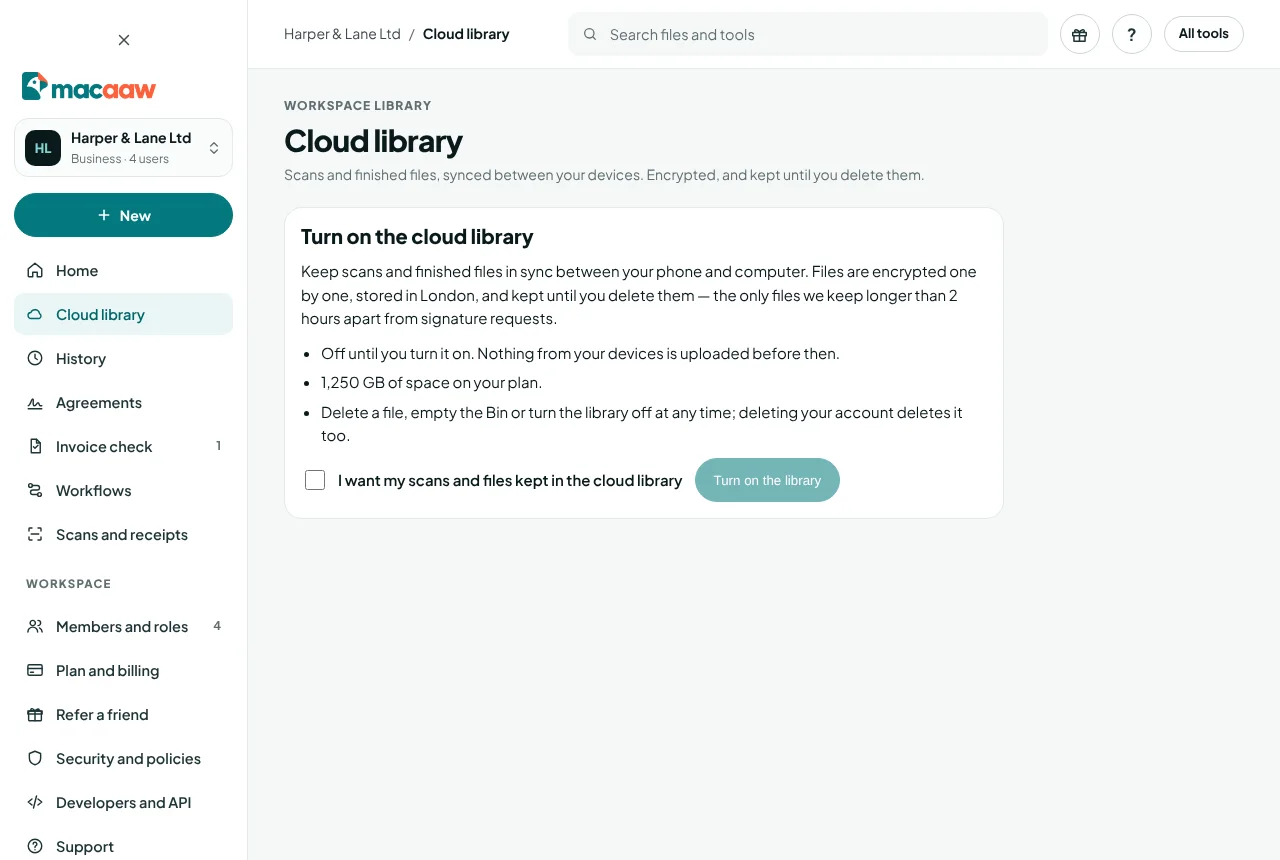
- Read Turn on the cloud library, then tick I want my scans and files kept in the cloud library.
- Choose Turn on the library.
How to add files
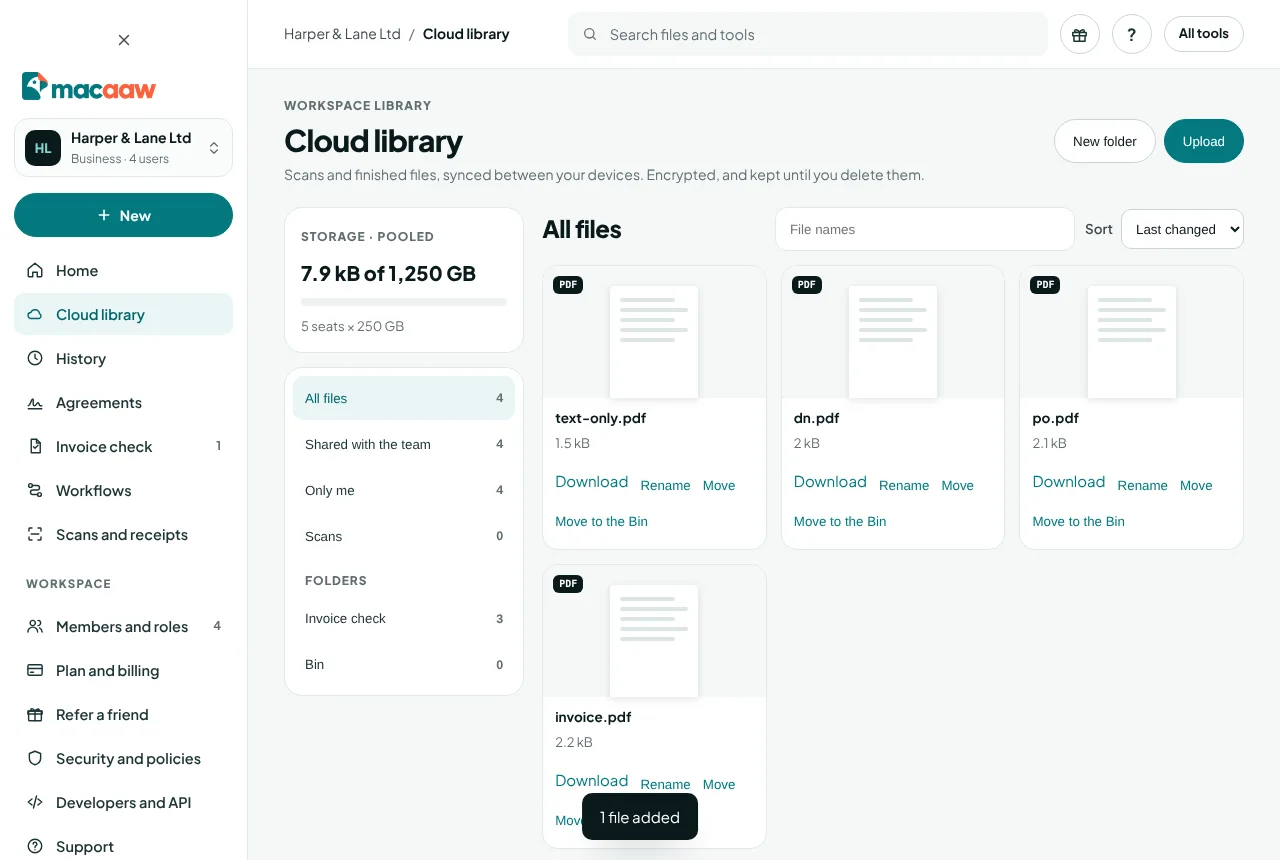
- From your computer: choose Upload and pick one or more files. Uploading shows the progress.
- From the scanner: open a scan and choose Sync (see Scanner).
Files keep their names. Each file can be up to the largest file size on your plan.
How to organise files in folders
- Choose New folder, type the Folder name and choose Create folder. Inside a folder, the button is New folder inside.
- To move a file, choose Move next to it, pick the folder in Move to (or Top level (no folder)) and choose Save.
- To rename a file or folder, choose Rename or Rename folder.
Search with Search names, and sort by Last changed, Name or Size.
How to delete and restore files
- Choose Move to the Bin next to a file. A whole folder can go with Move folder to the Bin.
- Open Bin to see what is there. Choose Restore to bring a file back, or Delete for good to remove it now.
- To clear everything in the Bin, choose Empty the Bin.
Files in the Bin are deleted for good after 30 days. They still count towards your storage until then.
Sharing files in a Business workspace
In a Business workspace the library belongs to the workspace and its storage is pooled. Shared with the team shows files every member can see; files marked Only me are visible only to the person who added them. Files that Invoice check keeps for a check are in a folder of their own and are managed by the check.
How to turn off the library
- At the bottom of the Cloud library page, find Turn off and delete the library.
- Type DELETE in Type DELETE to confirm and choose Delete library.
Every file in the library, including the Bin, is deleted. Files on your devices stay where they are.
If something goes wrong
- "Your library is almost full." or "Your library is full." Delete files you no longer need and empty the Bin, or move to a plan with more space. New files do not sync until there is room.
- "This file changed on another device." Someone changed the file elsewhere at the same time. The list has been refreshed; try again.
- "Only the workspace owner or an admin can turn on the library for this workspace." Ask them to turn it on.
- "Your plan doesn't include cloud storage." Choose See plans to compare plans.
Frequently asked questions
Is the cloud library the same as History?
No. History is a 30-day record of jobs, and files there are deleted within hours. The cloud library keeps files you choose until you delete them.
Where are library files stored?
In London, encrypted one file at a time. They are the only files we keep longer than 2 hours, apart from documents sent for signature.
What happens to my library if I delete my account?
It is deleted with your account.