

A person reads every message. We reply within 2 working days, and within 1 working day for Business workspaces. Before you write, check Service status in case we already know about the problem, and Troubleshooting for common fixes.
Before you start
- You can contact us with or without an account. If you have one, sign in first: we can then see your plan and recent tasks, and you can follow the conversation in your account.
- Please do not send passwords, card numbers or the documents you were working on. We never need them, and we can help without seeing your file.
How to contact support
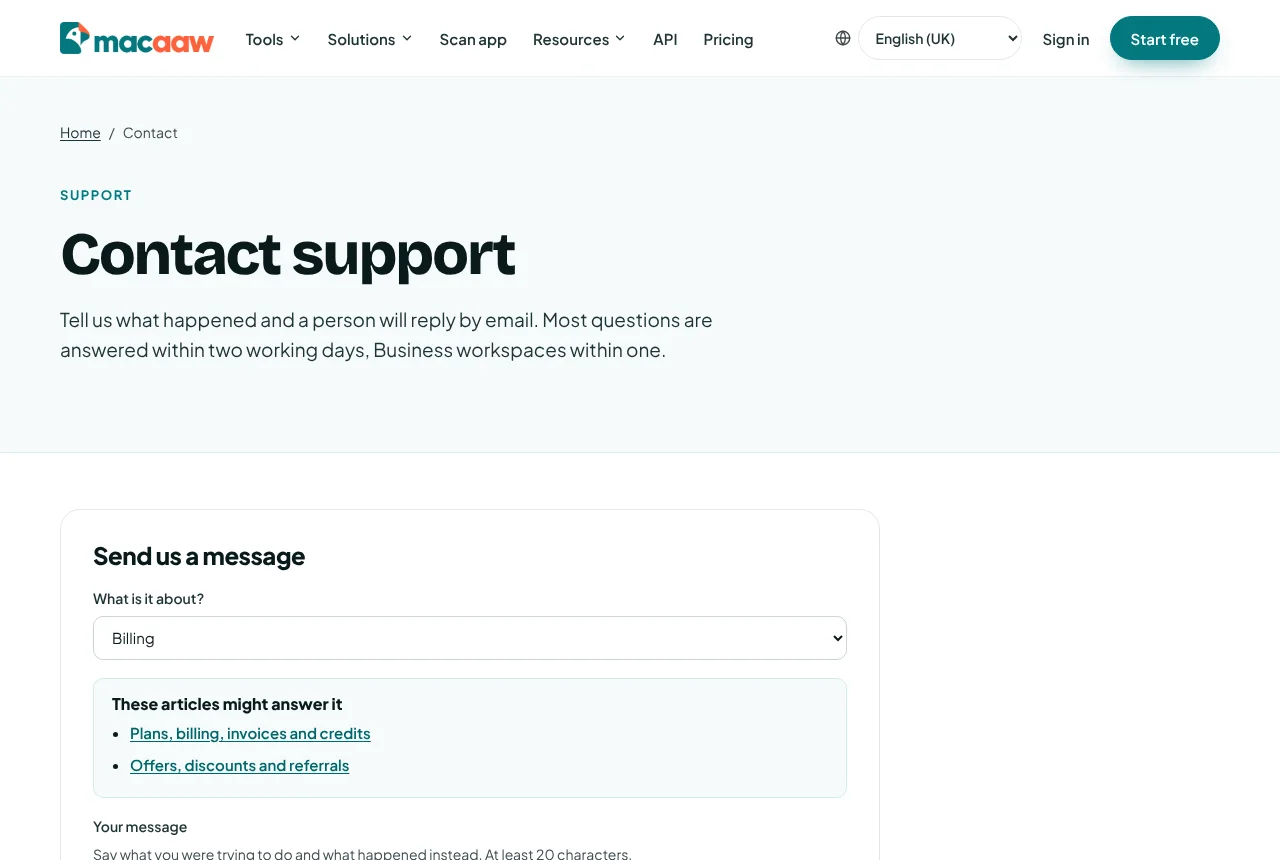
- Open Contact support. You can also choose Contact support at the foot of any Help centre page.
- Under What is it about?, choose the topic. These articles might answer it shows Help centre articles for that topic; one of them may solve it straight away.
- Write Your message: what you were trying to do and what happened instead, with the exact message you saw on screen. It needs at least 20 characters.
- If you are not signed in, give Your name and Your email. We reply to that address.
- Optionally, add a Page or job reference, for example the job ID from History, and a Screenshot (one PNG, JPEG or WebP image, up to 5 MB).
- Choose Send message.
You see your reference, for example MC-7KQ2-91, and we email you a confirmation with it. You can send up to 5 messages an hour.
What we attach when you are signed in
Under What we attach, the form shows exactly what is added to your message:
- your account id, the workspace you are using, your plan and language;
- your browser;
- your last 5 tasks: the tool and whether it worked.
We never attach your files, their names or their contents.
How to follow your request
- Open Account › Support. Each request shows its Status: Waiting for us, Waiting for you, Answered or Closed.
- Open a request to read the conversation and write a reply. Your reply reaches the same person.
- Choose Close this request when you are done. If you write again later, it opens again.
We also email every reply. If you wrote without an account, reply to that email and keep the reference in the subject.
How to report a translation mistake
Pages in languages other than English were translated from English and may contain mistakes. Each of those pages has a note at the top with a link to report a mistake. Choose the link: it opens an email with the language already in the subject.
How to report a security problem
Choose Privacy & data on the contact form, or email support with the subject "Security". Describe what you found and how to see it again. Please do not access other people's data or disrupt the service while testing. We reply to every report.
What we can and cannot do
- We can: check your account, plan, usage and job history; resend confirmation emails; help with billing, refunds and invoices; extend a trial in some cases; and explain any message you see.
- We cannot: open, download or preview your files; recover a file after it has been deleted; or sign in as you.
If something goes wrong
- You did not get the confirmation. Check your spam folder. If you were signed in, your request is in Account › Support anyway.
- The form says you have sent several messages in the last hour. Wait a little, or email us at the address shown under the form.
- You cannot sign in to send from your account. Send the form without signing in and tell us the email address of your account.