

There are four ways to pay less for Macaaw: offers we feature on the website, promotion codes and offer links, the education and charity discount, and referral rewards.
Before you start
- Offers apply to Pro and Business subscriptions at checkout. Stripe always shows the final price before you pay.
- Checkout uses one discount: the education or charity discount first, then a free month from a friend's invitation, then a promotion code. If a better discount is used instead of your code, Macaaw tells you, for example "Your education or charity discount is used instead of code …".
Featured offers on the website
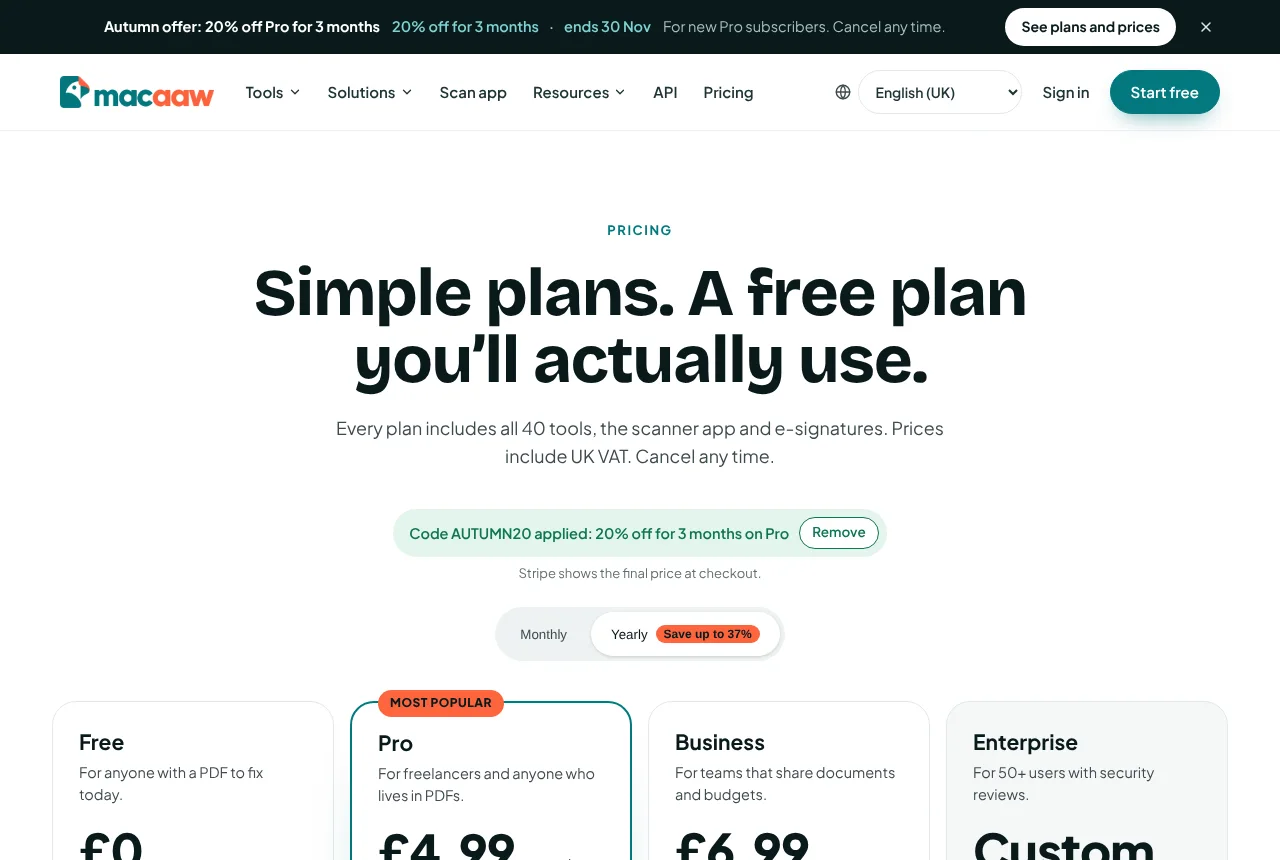
When we run an offer, a banner labelled Offer at the top of the website shows the offer, the discount and when it ends, for example "ends 30 Nov". Its button is See plans and prices or Create a free account, and the code goes with you. Choose Dismiss this offer to hide it; it stays hidden for that offer on this browser.
Offers are shown to visitors, to signed-in Free users, or to both. People who already pay for a plan never see them.

How to use a promotion code or offer link
- Open the offer link you were given, for example from an email. It ends with
?promo=and the code. Macaaw remembers the code on this browser for 30 days in a small cookie (mc_promo). It is strictly necessary for the offer you chose, so it is set without asking. - The pricing page shows Code … applied: with the offer, for example "20% off for 3 months on Pro", and "Stripe shows the final price at checkout." Choose Remove if you do not want to use it.
- Choose your plan and go to checkout. The discount is already applied.
If the code cannot be used, Macaaw says why: it has ended, it hasn't started yet, it isn't for this plan, it has been used up or switched off, or we don't recognise it. Checkout then continues without it. You can also type a code yourself on the Stripe checkout page.
How to apply for the education or charity discount
Schools, colleges, universities and registered charities or non-profits get 40% off Business: £5.99 instead of £9.99 per user a month.
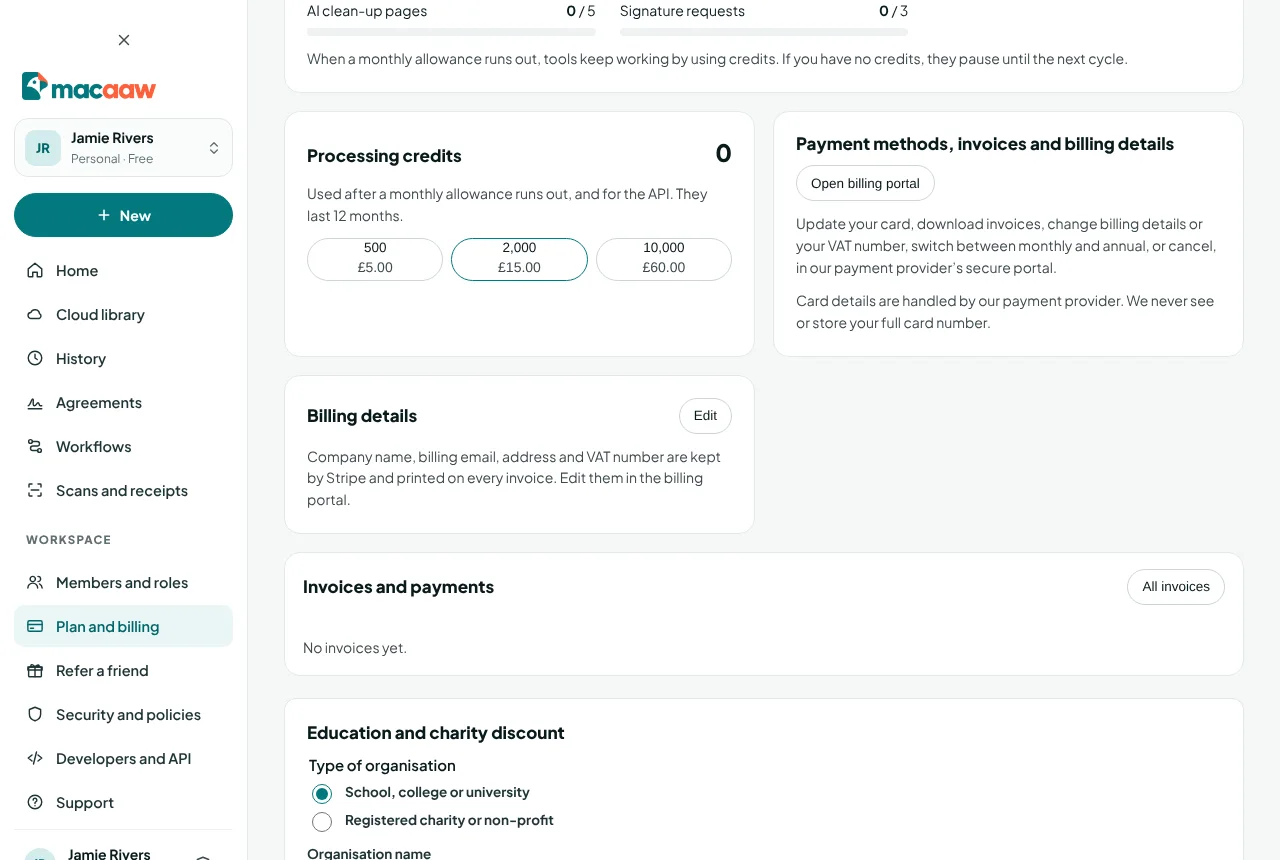
- Open Plan and billing and find Education and charity discount.
- Choose Apply for the education or charity discount.
- Choose the Type of organisation: School, college or university or Registered charity or non-profit. Fill in the Organisation name, Country, Registration number or official website (for example a charity number or the school's website) and Work email. Add a Note if it helps.
- Choose Send request. We email you to confirm we have it.
The card then shows Being checked. We check every request by hand against the official register, usually within one working day, and email you the decision. You can Withdraw request while it is being checked; only one request can wait at a time.
- Approved in a Business workspace: the discount applies to the subscription from the next invoice, or to the checkout if the workspace has no plan yet.
- Approved on a personal account: the card says the discount applies when you move to Business.
- Not approved: the card and the email give the reason.
The card is shown to owners and billing managers of Business workspaces, and to Free and Pro users in their personal workspace ("Applies when you move to Business.").
How to refer a friend ("give a month, get a month")
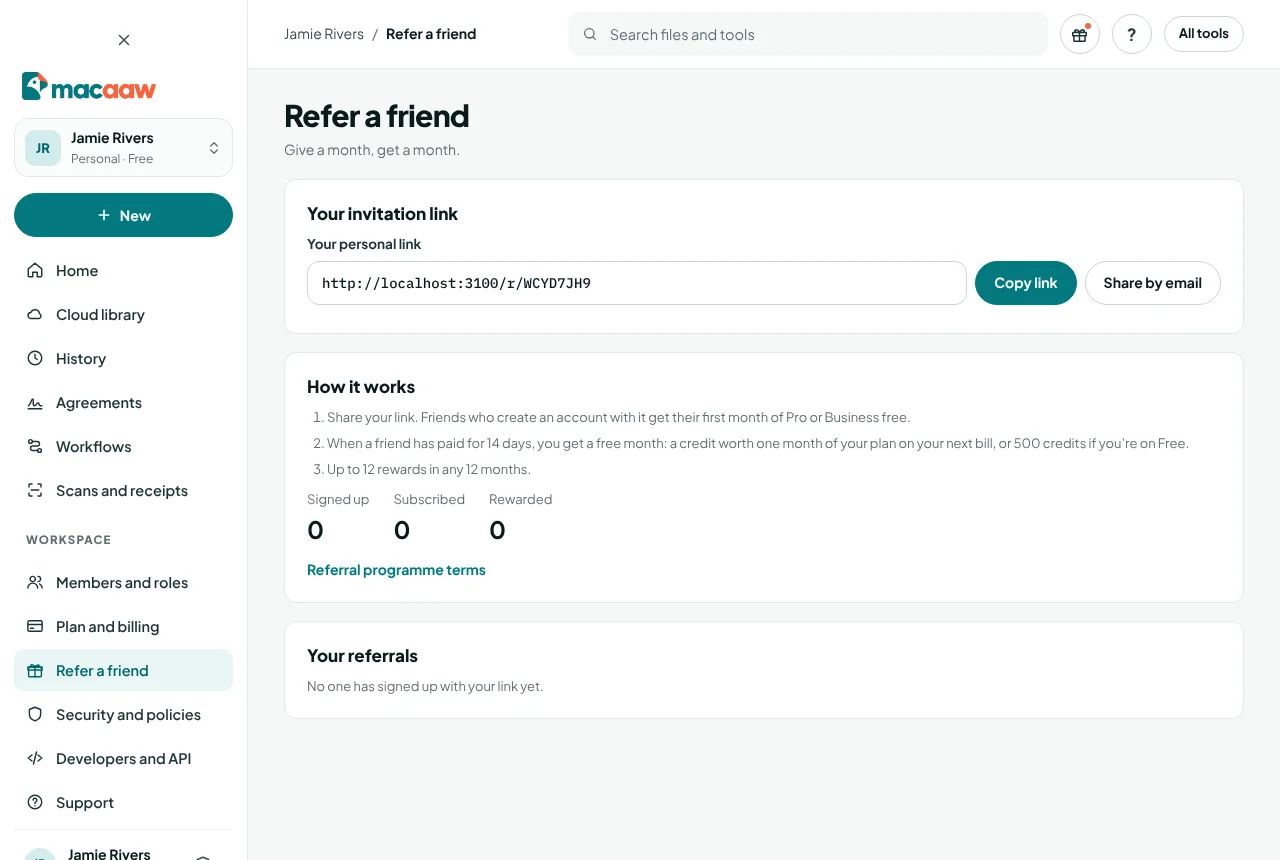
- In the sidebar, choose Refer a friend.
- Under Your invitation link, choose Copy link, or Share by email.
- Your friend opens the link (it starts
/r/) and creates an account. The sign-up page says "You were invited by a Macaaw user: your first month of Pro or Business is free." The invitation is remembered for 30 days. - Your friend's first paid checkout is free for the first month. This replaces the usual free trial.
When your friend has paid for 14 days, you get a free month:
- on Pro or Business, a credit worth one month of your plan on your next bill (on a yearly plan, the yearly price divided by 12; on Business, per seat times your seats);
- on Free, 500 processing credits.
You can get up to 12 rewards in any 12 months. Refer a friend shows how many friends have Signed up, Subscribed and been Rewarded, and lists Your referrals with their status. The full rules are in the referral programme terms.
If something goes wrong
- "Code … can't be used: …" The message says why. Check the code's dates and which plan it is for, or contact support.
- My code was not used at checkout. You had a better discount: the education or charity discount, or a free month from a friend's invitation.
- A referral shows "Not eligible". Referrals from yourself, your own mailbox or company email domain, or your own workspace are not eligible; a referral also stops counting if the friend's payment is refunded or disputed, if their subscription ends before 14 days, or once you have reached the limit for 12 months.
- My discount request was not approved. The reason is on the card and in the email. Send a new request with the missing details.
Frequently asked questions
Can I combine two discounts?
No. Checkout uses one discount. The education or charity discount comes first, then a free month from a friend's invitation, then a promotion code.
Can I refer myself or my own workspace?
No. Referrals from the same person, the same mailbox, the same company email domain or the same workspace are not eligible.
When do I get my referral reward?
When your friend has paid for their plan for 14 days. Rewards are added automatically shortly after that.