

Features
Every feature, one simple way of working
40 PDF tools for converting, organising, editing, signing, compressing and protecting documents, plus workflows and team workspaces when you need them.
Feature directory
Everything Macaaw does
Each group links to the page where you use it and to a step-by-step guide.
PDF tools
Every plan40 tools to convert, organise, edit, sign, compress and protect PDFs. 20 of them run in your browser, so the file never leaves your device.
- Word, Excel, PowerPoint, images and HTML to PDF, and back
- Merge, split, reorder, rotate and crop pages
- Text recognition in 27 languages, PDF/A and repair
- Edit PDF, Compare PDF and Extract invoice data on Pro
Macaaw Scan
Every planA document scanner on your phone or computer. Free, with no watermark, and it works offline.
- Live edges and automatic capture in five modes: documents, receipts, whiteboards, business cards and ID cards
- Printed text read on the device in English, Welsh, French, German and Spanish; handwriting read on our servers if you agree
- Search, folders, tags, favourites and a 30-day bin; import photos and PDFs
- Sign, annotate and use 20 PDF tools inside the app
- Clean-up: shadows and sharpening on the device; flattening, fingers and handwriting with AI on our servers
- Receipts to an expense report in Excel, CSV or PDF (Pro and Business)
- Ask questions about a document: only its text and your question go to our AI provider, with no training and nothing kept
- Export PDF, JPG or Word; share, email, sync to your cloud library or save to OneDrive (Pro and Business)
Invoice check
BusinessSupplier invoices read automatically and checked against the purchase order and delivery note before you pay.
- Reads invoices, purchase orders and delivery notes from PDFs, scans and photos
- Approval levels, notes and a credit-note request for the supplier
- Approved invoices exported to CSV or Excel; documents can also come in through the PDF API
- 50 checks per user a month, pooled across the workspace
What it checks
- Prices against the order
- Quantities against the delivery
- Totals and VAT
- Duplicate invoices
- Changed bank details
- Missing documents
Send for signature
Every planSend a PDF to several people and follow it until everyone has signed. Signers don’t need an account.
- Signing in order or all at once, with automatic reminders
- See when each person opens and signs
- A signing certificate with the full audit trail
- Kept encrypted until everyone has signed, then deleted 30 days later
- Optional access code; text-message invites and your logo on emails with Business
- 3 requests a month on Free, 50 on Pro, 200 per user on Business
Workflows
Pro and BusinessChain tools into one job, save it, and run it on a whole batch of files.
- For example: Compress, then Watermark, then Protect
- Run a workflow on up to 50 files at once
- Share workflows with your team as presets
- 25 saved workflows on Pro, no limit on Business
Cloud library
Every planAn opt-in place to keep scans and finished files, encrypted one file at a time and stored in London.
- Off until you turn it on; nothing is uploaded before then
- Folders, a bin, and sync with the scanner on every device
- 1 GB on Free, 100 GB on Pro, 250 GB per user on Business
- History keeps a 30-day record of your jobs, without the files
Business workspaces
BusinessOne workspace for your team: people, sign-in rules and file policies in one place.
- Owner, admin, billing manager and member roles
- Require two-step sign-in (passkey or authenticator app), choose sign-in methods, join by email domain
- Files deleted after 2 hours, 1 hour, 30 minutes or right after download; sensitive tools kept in the browser
- Pooled allowances and 250 GB per user
- Retention policy and 1-year audit log
PDF API
The same PDF tools and e-signatures for your own software.
- Tasks for every PDF tool, documents and signing over REST
- Webhooks and embedded signing
- Free sandbox keys; live keys on Pro and Business
Help and support
Answers, guides and real people when you need them.
- 18 step-by-step guides in the Help centre
- Short tours and a Getting started list in your account
- Passkeys and two-step sign-in for every account
- The site in 24 languages, right-to-left included
Plans and savings
Free for everyday use. Pay only when it saves you time.
- No ads on Pro and Business
- Try Pro free for 14 days and Business for 30 days
- 40% off Business for schools, universities and charities
- Refer a friend: they get their first month free, and you get a free month
- Credit packs for use beyond your monthly allowance
Industries
How teams in each industry use Macaaw.
One place for every step of your paperwork
Pick a task to see the screens you will actually use. Every tool works the same simple way.
Move between PDF, Office and images
Turn Word, Excel, PowerPoint and photos into tidy PDFs, or get an editable document back out of a PDF.
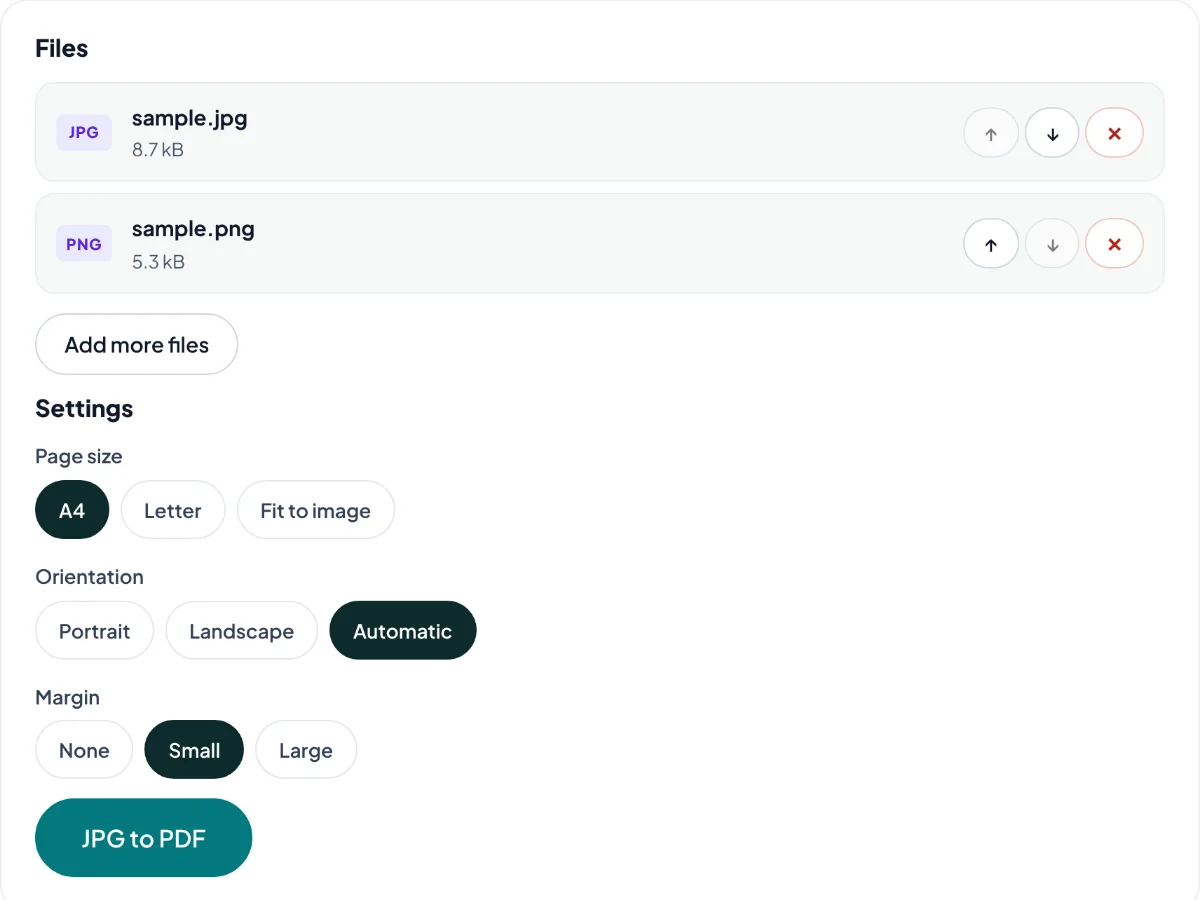
- Combine several images into one PDF, in the order you choose
- Editable Word and Excel files from your PDFs
- Image conversions run on your device
Tools for this
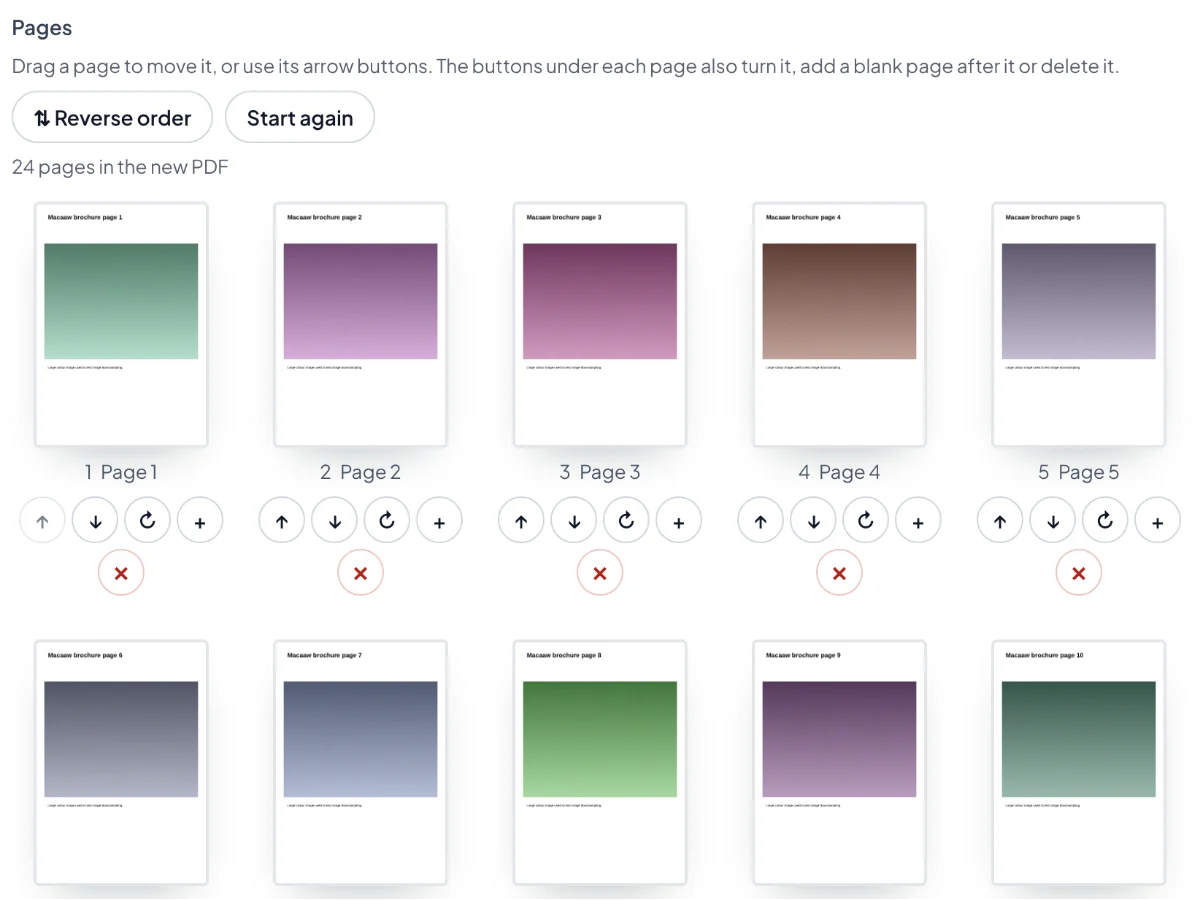
Put pages in the right order
See every page as a thumbnail. Drag to reorder, turn, delete or add blank pages, then merge or split files.
- Drag and drop, or use the buttons under each page
- A keyboard way to move every page
- Merging and splitting never upload your file
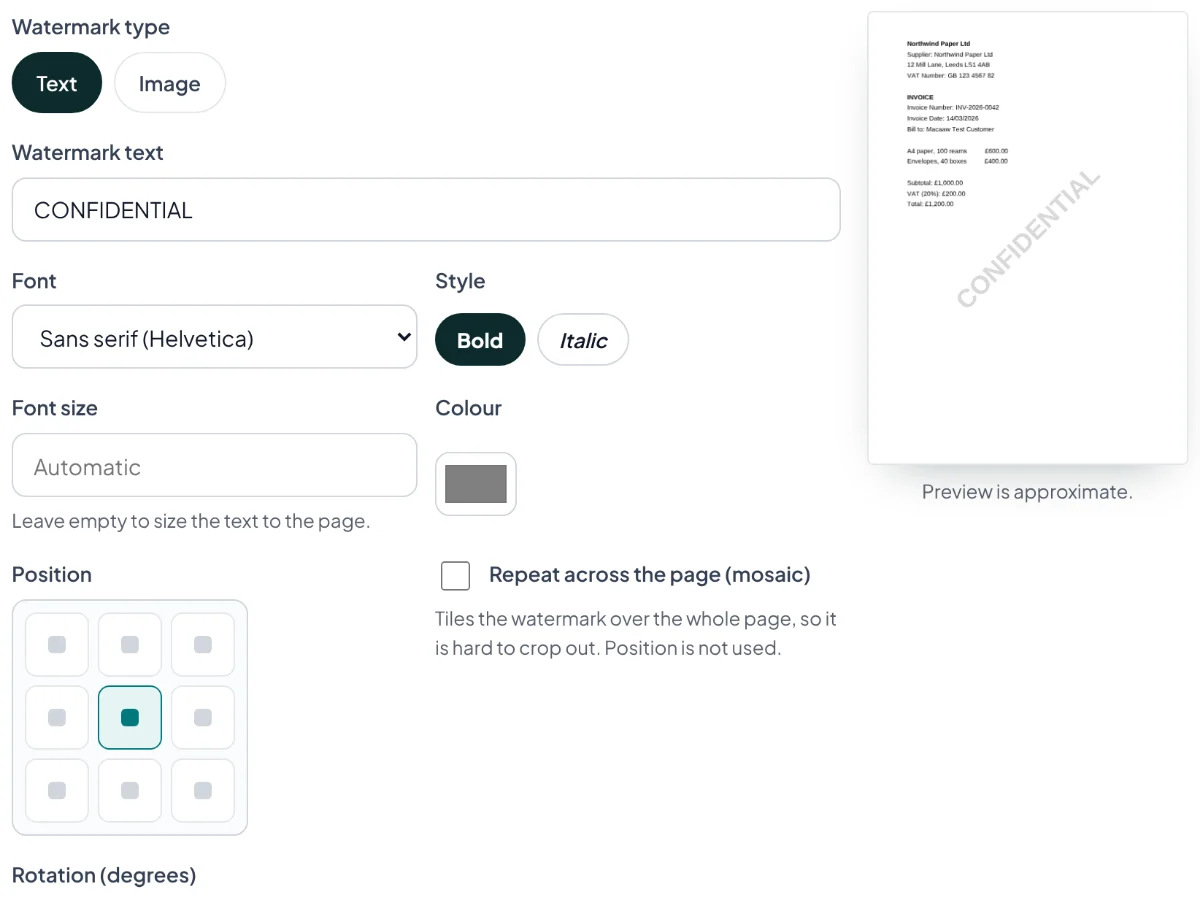
Sign, stamp and fill in, without printing
Add your signature, initials and dates, watermark drafts, number pages and fill in forms. Need other people to sign? Send the document for signature and follow its progress.
- Type, draw or upload your signature
- Watermarks with a live preview
- Signing order, reminders and a signing certificate for documents you send
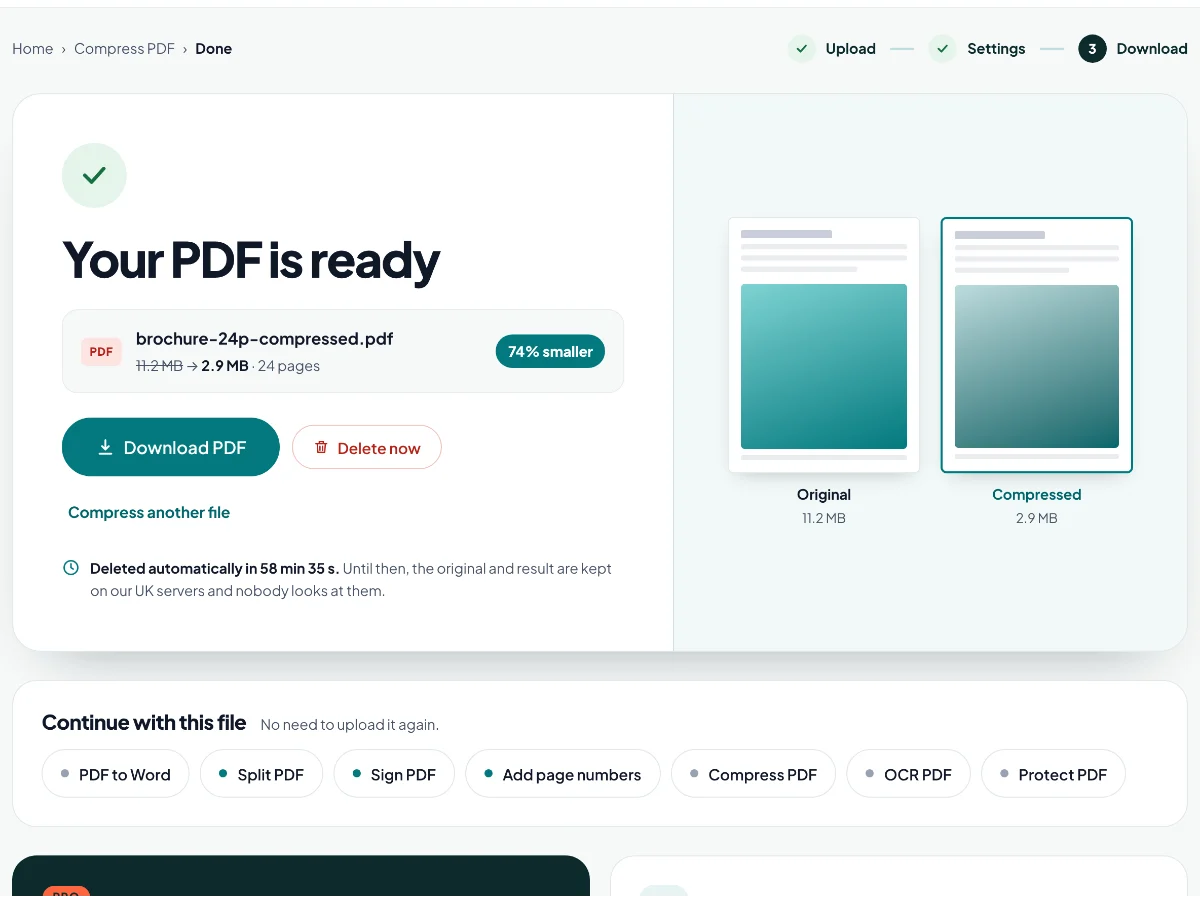
Smaller files and searchable scans
Shrink PDFs for email and upload portals, hit an exact size, and turn scans into text you can search and copy.
- See the size before and after, page by page
- Text recognition in 27 languages
- Repair damaged files and save PDF/A for archiving
Share documents without oversharing
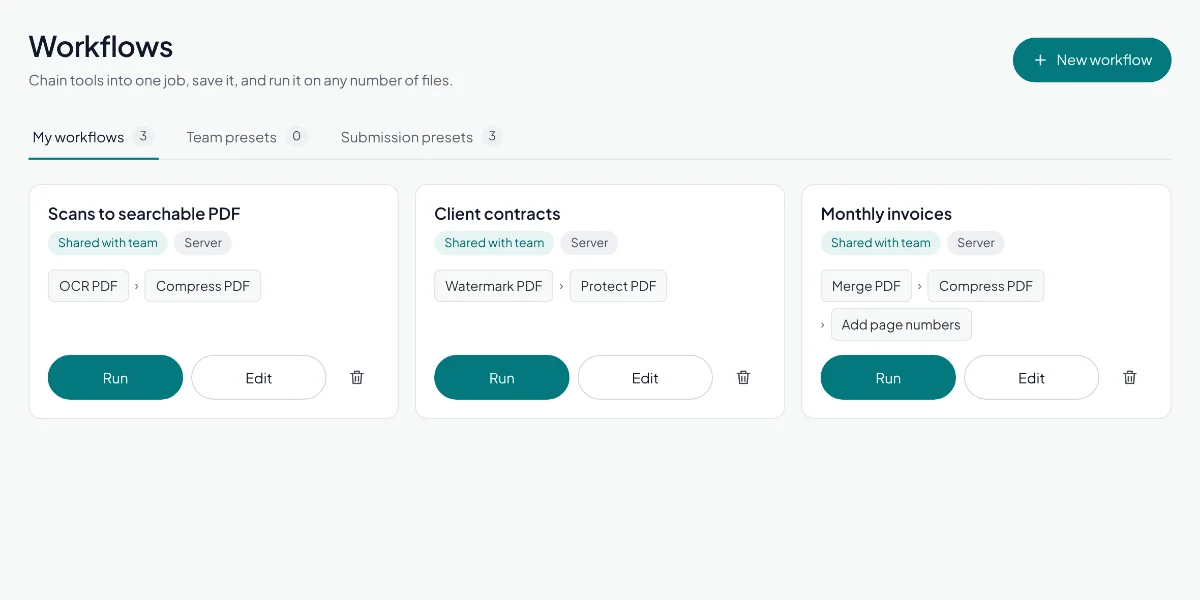
Black out personal details for good, add a password, and strip hidden information before a file leaves your hands.
- Find e-mail addresses, phone and card numbers automatically
- Redaction removes the text, not just covers it
- Compare two versions to spot every change
Tools for this
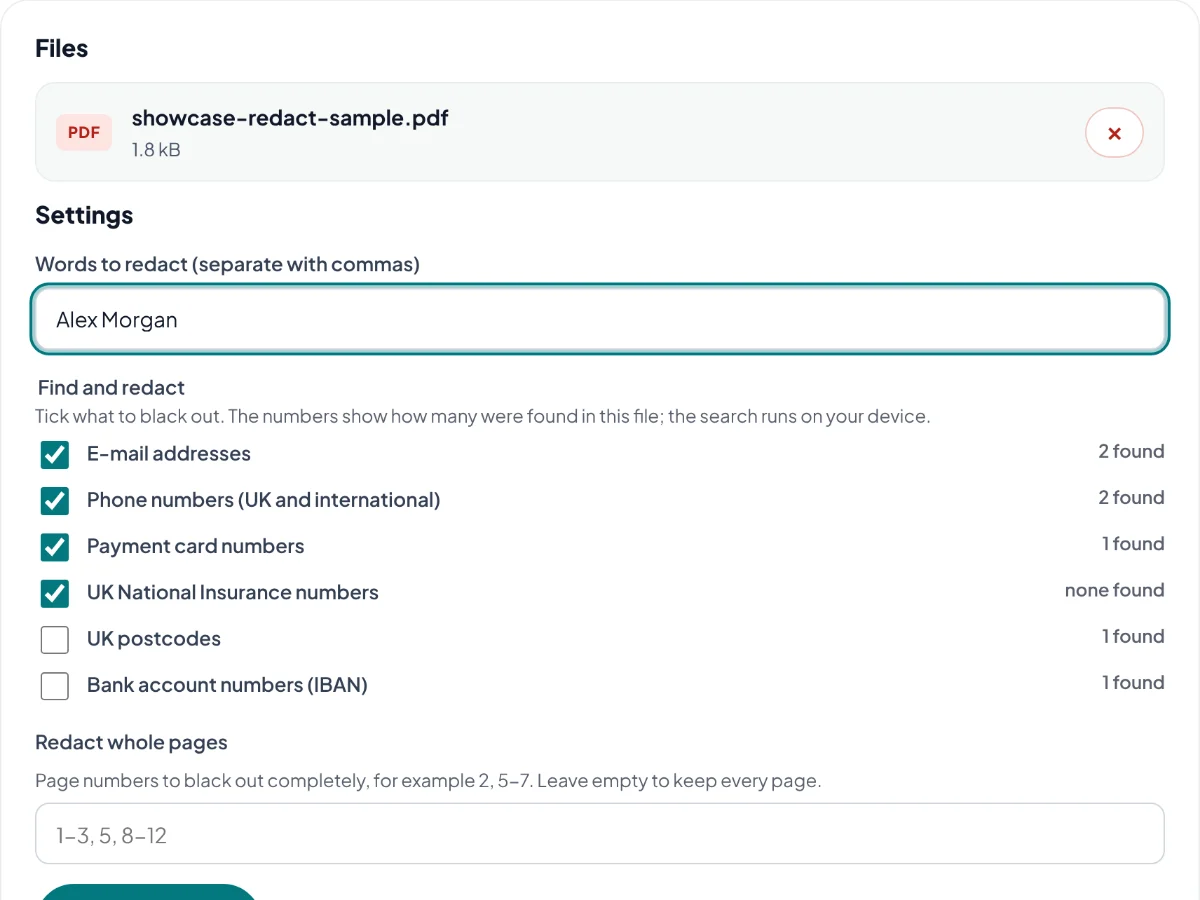
Repeat work in one click, together
Chain tools into a saved workflow and run it on a whole batch. Share workflows with your team, with roles, shared limits and central billing.
- Merge, compress and number a batch in one go
- Owner, admin and member roles
- One bill and shared allowances for the whole team
How we look after your files
- UK servers
- Tool files deleted within 2 hours
- 20 browser tools never upload
- UK GDPR · ICO registered CSN3569463
- Designed for WCAG 2.2 AA
- Payments by Stripe
New
Send documents for signature
When other people need to sign, send the PDF from your account. Each person gets their own secure link; nobody needs an account to sign.
- Signing in order or all at once, with automatic reminders
- See when each person opens and signs
- A signing certificate with the full audit trail
- Kept encrypted until everyone has signed, then deleted 30 days later
All tools
Every tool, by group
Pick a tool to start. A green dot means the tool runs entirely on your device.
Convert to PDF
6 tools- DOCPDF
Word to PDF
Turn .doc and .docx files into PDFs that look the same everywhere.
Secure server - XLSPDF
Excel to PDF
Convert spreadsheets to PDF with page breaks you can control.
Secure server - PPTPDF
PowerPoint to PDF
Share slides as a PDF that keeps your fonts and layout.
Secure server - JPGPDF
JPG to PDF
Combine photos and scans into one tidy PDF.
Runs in your browser - ODTPDF
Other formats to PDF
OpenDocument, RTF and Publisher files to PDF.
Secure server - HTMLPDF
HTML to PDF
Turn a saved HTML file into a PDF.
Secure server
Convert from PDF
6 tools- PDFDOC
PDF to Word
Get an editable Word document with formatting kept.
Secure server - PDFXLS
PDF to Excel
Pull tables out of a PDF into a spreadsheet.
Secure server - PDFPPT
PDF to PowerPoint
Turn PDF pages into editable slides.
Secure server - PDFJPG
PDF to JPG
Save pages as JPG or PNG images, or pull out the pictures inside.
Runs in your browser PDF to PDF/A
Make an archive-ready PDF/A copy for long-term storage.
Secure server- PDFMD
PDF to Markdown
Get headings, paragraphs, lists and tables as Markdown.
Runs in your browser
Organise
8 toolsMerge PDF
Combine several PDFs into one, in any order.
Runs in your browserSplit PDF
Separate pages or ranges into new files.
Runs in your browserExtract pages
Save just the pages you need as a new PDF.
Runs in your browserDelete pages
Remove blank or unwanted pages.
Runs in your browserReorder and rotate
Reorder, turn, delete and add pages, including pages from another PDF.
Runs in your browserCombine double-sided scans
Interleave front and back scans in the right order.
Runs in your browserRotate PDF
Turn pages the right way up, one page or all at once.
Runs in your browserScan to PDF
Take photos of paper with your phone and make one PDF.
Runs in your browser
Edit and sign
8 toolsEdit PDF
Add text, images, shapes and white-out to your pages.
Secure serverAnnotate PDF
Highlight, underline, comment and draw.
Runs in your browserSign PDF
Add a drawn, typed or uploaded signature.
Runs in your browserFill PDF form
Complete forms and flatten them when done.
Runs in your browserWatermark PDF
Stamp text or an image across your pages.
Runs in your browserAdd page numbers
Number pages, with headers and footers.
Runs in your browserCrop and resize
Trim margins and change page size.
Runs in your browserPages per sheet
Print several pages on one sheet.
Runs in your browser
Optimise and OCR
7 toolsCompress PDF
Reduce file size for email and upload limits.
Secure serverCompress to a size
Get under an exact limit, like 2 MB.
Secure serverOCR PDF
Make scanned PDFs searchable and selectable.
Secure serverScan to Word or Excel
Turn scans into editable Office files.
Secure serverExtract tables
Export tables to Excel or CSV.
Secure serverExtract invoice data
Pull invoice fields into a reviewable table.
Secure serverRepair PDF
Rebuild damaged PDFs that will not open properly.
Secure server
Security
5 toolsProtect PDF
Add a password and limit printing or copying.
Secure serverUnlock PDF
Remove a password you know.
Secure serverRedact PDF
Permanently black out sensitive text.
Runs in your browserRemove metadata
Strip hidden author and edit details.
Runs in your browserCompare PDFs
Highlight every change between two versions.
Secure server
Why Macaaw
Made for real document work
The everyday jobs, done properly, with your privacy built in rather than bolted on.
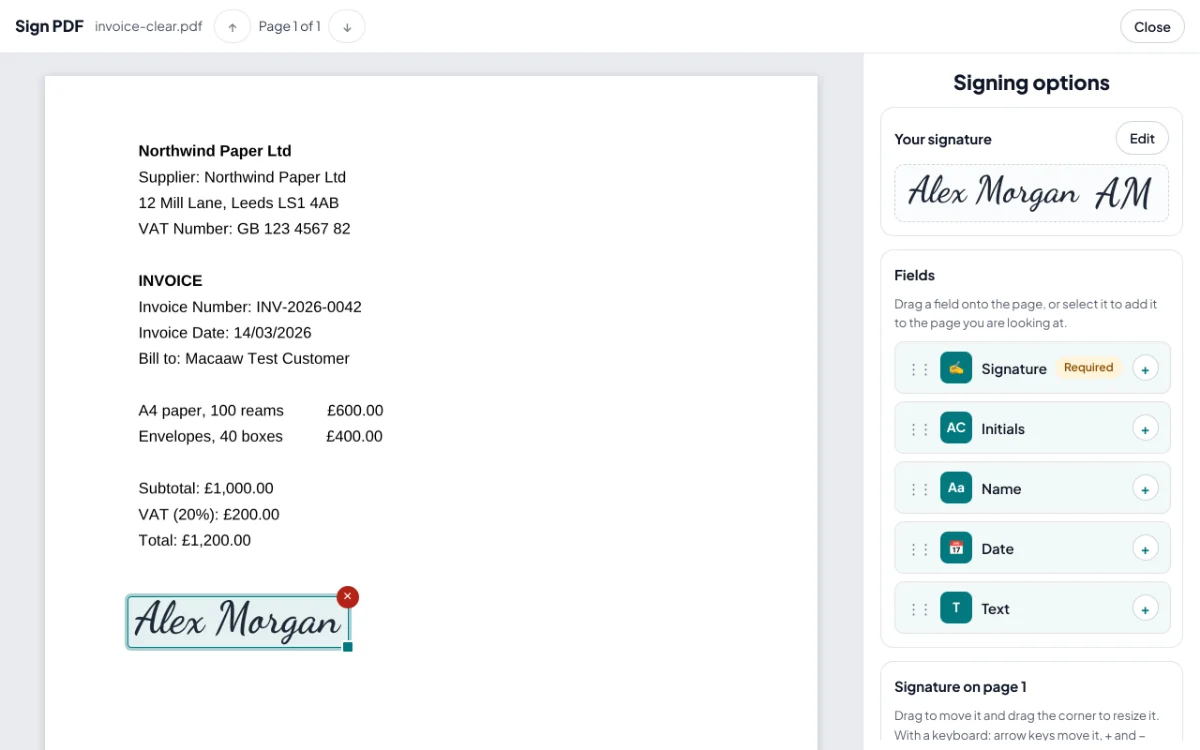
A proper signing studio
Place signatures, initials, names and dates exactly where they belong, on any page, with a mouse, a finger or the keyboard.
Try Sign PDFSend for signature
Send a PDF to several people, in order or all at once. See who has opened and signed it, send reminders and get a signing certificate.
Send a documentYour file stays on your device
20 tools run entirely in your browser. The file is never uploaded, so there is nothing for us to keep.
How we handle files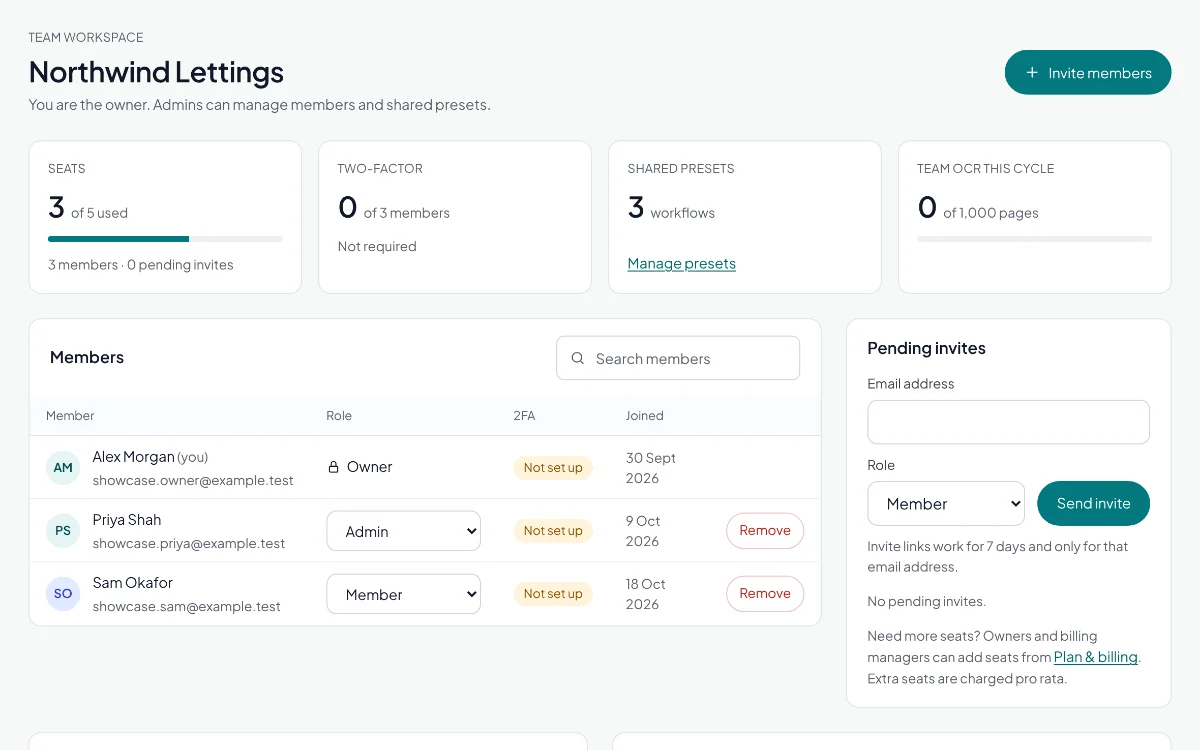
Business workspaces
Invite colleagues, choose who manages members and billing, and share workflows and allowances in one workspace.
See Business plansInstall it, use it offline
Add Macaaw to your phone or computer like an app. Tools that run in your browser keep working offline once you have opened them.
Open a browser toolIn your language
The whole site in 24 languages, including right-to-left scripts such as Arabic and Urdu.
Get your next document done in seconds
- Free for everyday tasks, no account needed
- 20 tools that never upload your file
- No watermarks on your documents, ever