

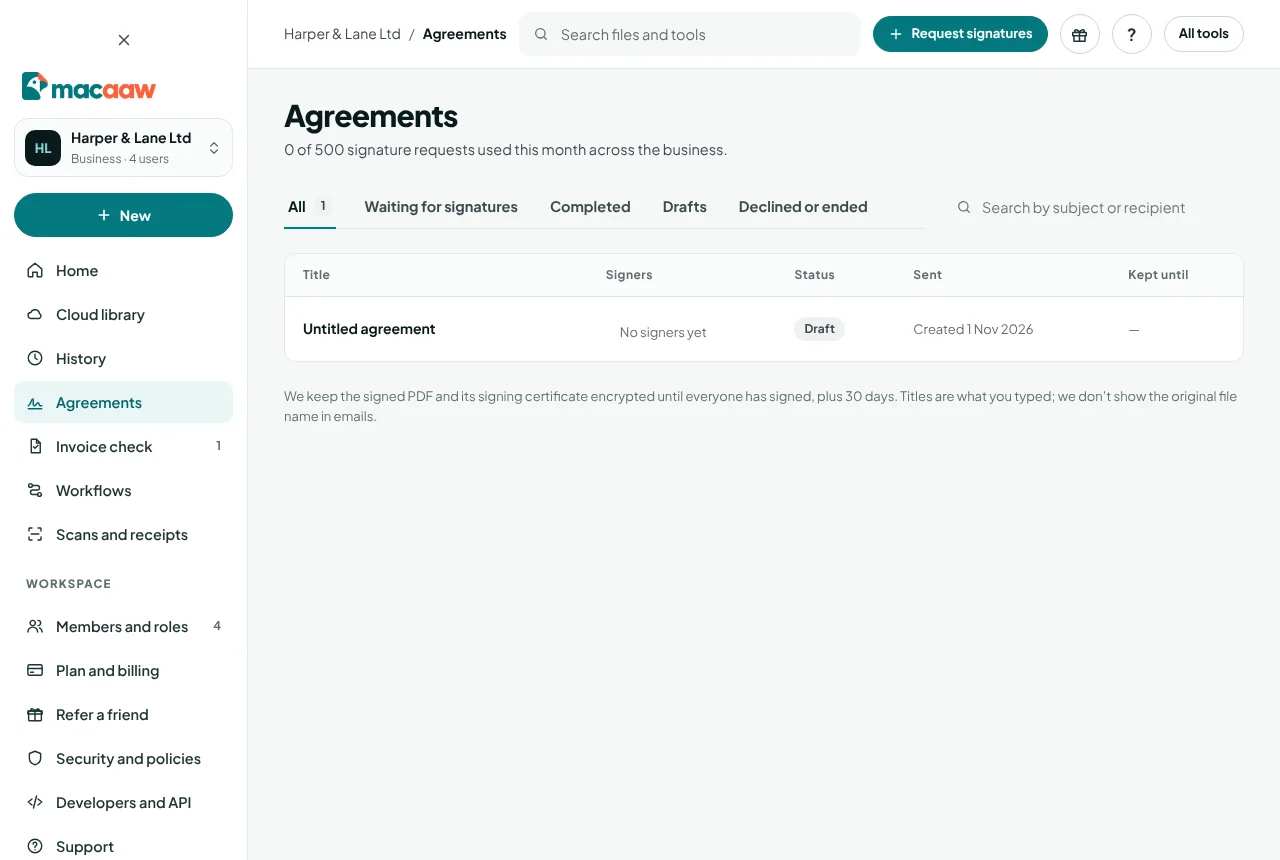
Agreements sends a PDF to other people to sign. You place the fields each person fills in, Macaaw emails them a link, and when everyone has signed you download one signed PDF with a signing certificate.
To sign a document yourself without sending it to anyone, use the Sign PDF tool instead: it runs in your browser and is free.
Before you start
- Confirm your email address first.
- Each plan includes a number of documents sent for signature each month, and of signers on one document:
| Free | Pro | Business | |
|---|---|---|---|
| Sent for signature a month | 3 | 50 | 100 per user, shared |
| Signers on one document | 2 | 10 | 20 |
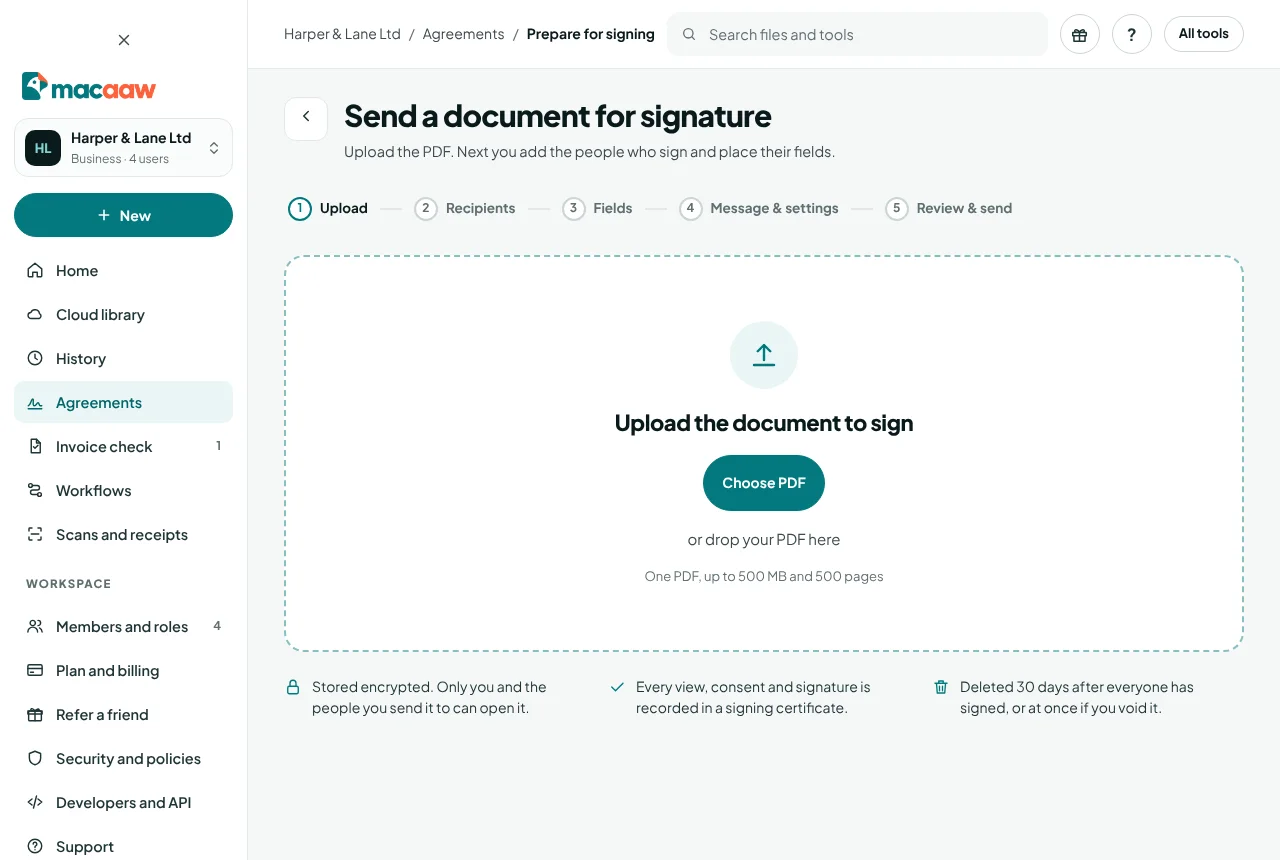
- The document must be one PDF of up to 500 pages.
How to send a document for signature
- In the sidebar, choose Agreements, then Request signatures. (Or choose New › Send for signature.)
- Upload: choose Choose PDF or drop your PDF on the page. It is uploaded and encrypted.
- Recipients: for each person who signs, choose Add signer and type their Name and Email. Choose Add someone who receives a copy for people who only need the signed copy.
- Under Signing order, choose Any order (everyone gets the email at once) or In order (each signer gets it after the one before has signed).
- Turn on I sign too to add yourself as a signer. Then choose Next: place fields.
- Fields: for each signer, add their fields to the page: Signature, Initials, Name, Date signed, Text or Checkbox. Every signer needs at least one field. Choose Next: message.
- Message & settings: write the Subject and an optional Message. Choose when the Link expires after (30 days unless you change it), whether to send Automatic reminders (every 3 days), and whether signers need an Access code that you give them yourself, for example by phone. Choose Next: review.
- Review & send: check everything, then choose Send for signature. You cannot change the document or fields once it is sent.
Drafts save automatically. Choose Save and exit to finish later; drafts not touched for 7 days are deleted.
What signers see
Signers get an email with your subject and message and a link. The email never includes the file name. They open the link, tick I agree to sign electronically, choose Start, fill in their fields with Next field, and choose Finish. They can also choose Decline and give a reason, which ends the agreement for everyone.
How to follow an agreement
- Open the agreement from the Agreements list. The Signers panel shows each person as Waiting, Sent, Opened, Signed or Declined.
- Activity lists every event: sent, opened, signed, reminders.
- To nudge someone, choose Remind next to their name. You can send one reminder every 24 hours.
- If you added yourself as a signer, choose Sign now when it is your turn.
How to download the signed PDF
When everyone has signed, the agreement moves to Completed and we email a link to download the signed PDF (subject Completed: followed by your subject). Open the agreement and choose Download signed PDF. The file includes the signing certificate, which records every view, consent and signature.
How to cancel or delete an agreement
- Cancel request stops an agreement that is still waiting. Give a Reason and choose Void agreement. Signers can no longer open it, those already sent are told by email, and the files are deleted at once.
- Delete now deletes the document, signatures and activity at once, and every signing link stops working.
If something goes wrong
- "You have sent all the agreements your plan allows this month." The count resets at the start of your next cycle, or you can move to a plan with more.
- "Every signer needs at least one field." Go back to Fields and add a field for each person listed.
- "Each recipient needs a different email address." Two recipients have the same address.
- A signer says the link does not work. It may have expired, or the agreement was voided or declined. Check its status; send a new request if needed.
- A signer is locked out. After 5 wrong access codes the link locks for 15 minutes.
- "The signed PDF is being prepared." Try again in a minute.
Frequently asked questions
Are Macaaw signatures legally binding?
They are simple electronic signatures, backed by an audit trail and a signing certificate, which is enough for most business documents in the UK. Some documents, such as wills or deeds that need a witness, may need another form of signature.
Do signers need a Macaaw account?
No. They sign from the link in their email, on any device.
How long do you keep signed documents?
The signed PDF and its certificate are kept encrypted until everyone has signed, plus 30 days, then deleted. Download your copy before then.